I recently wanted to produce some graphs from a web app powered by the Dancer Perl web framework, and reevaluated the various Perl graphing moduiles out there.
Modules I considered were:
- Chart::Strip
- Chart::Graph
- Google::Chart
- Chart::Clicker
- Chart::Gnuplot
Unfortunately, I didn’t have time to do a full in-depth writeup trying every module like the excellent ones Neil Bowers has been doing, but I thought I’d write up a quick post on the choice I made, with example code, in case it helps other people looking to graph potentially irregularly-spaced time-based data samples in Perl easily.
Chart::Clicker looked to be a nice choice (with a nice example of doing just what I want given as the topic answer to a question on StackOverflow), but had a huge chain of dependencies, finally failing when demanding Cairo and various X11 libraries (on my headless server).
Chart::Strip seemed to do exactly what I wanted in a simple way, but I encountered a div-by-zero bug when dealing with a certain dataset with > 89 data points.
I reported this to the author, Jeff Weisgberg in RT #72288, and he promptly released 1.08 with a fix (thanks Jeff!).
Chart::Strip made it simple to do what I wanted:
my @dataset;
while (my $row = $sth->fetchrow_hashref) {
    push @dataset, { time => $row->{timestamp}, value => $row->{value} };
}

my $chart = Chart::Strip->new( title => "My chart" );
$chart->add_data(\@dataset, { style => 'line' });

# then get the chart as an image with $chart->png
Nice and easy, just what I wanted – a way to say “here’s some timestamps and values (quite possibly irregularly spaced) – work out how to plot this sensibly for me”.
The resulting graphs look good enough to me, e.g.:
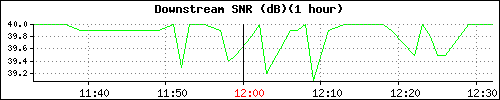
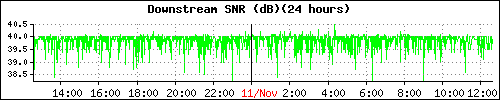
(Rendered intentionally a little smaller to fit the blog; naturally the graphs can be whatever size you want. Also, I had to use the transparent option to disable transparent backgrounds.)
Yeah, Chart::Clicker looks awfully nice but that non-Perl dependency chain is such a killer.
I’ve been meaning to give SVG::Graph a close look as well since I like SVG graphics.
You might also want to check out :
https://metacpan.org/module/SVG::TT::Graph::TimeSeries examples: http://leo.cuckoo.org/projects/SVG-TT-Graph/
Nice! I like Chart::Strip’s defaults.
I tried doing the same thing a few months back, and after finding Chart::Gnuplot wasn’t flexible enough I just went and made my Perl code generate gnuplot commands directly.
It took several days of reading, but the results were worth it IMO.
Nice. I’ve used other modules for this sort of plot in the past, but Chart::Strip looks like a good choice next time I want one.
Thanks for posting this. Anyone using Fedora 15 will need to install libgd, which is packaged as gd and gd-devel in the Fedora yum repo.
Thanks a lot for this. I have been trying to generate PNG files from Chart::Strip as shown in the MAN but not able to do so. I was wondering if you could help me with it. The code prints garbage on my cli and does not create a file. I have manually tried writing to a PNG file but it does not work and gives file error.
Appreciate your help. I am using perl 5.10 due to some outdated libraries that I need.